When Deutsche Welle was getting ready to launch a redesigned website and app for its international audience, it asked us a question every news organisation should ask before launch: can everyone actually read this?
Not just readers on a fast laptop with good eyesight. Also readers who are blind and listen to the page through a screen reader, and readers with motor impairments who move through it with a keyboard instead of a mouse or a touchscreen. We tested DW's beta with all three groups side by side. Here is what that kind of study teaches, and what any news team can take from it.
01 / 07News is an accessibility problem worth getting right
News is time-sensitive and it is everywhere: breaking alerts, live blogs, video, galleries, menus of sections and subsections. Every one of those patterns is a place where a page can quietly shut someone out.
For a sighted reader, a cluttered homepage is an annoyance. For a screen reader user, it can mean listening to dozens of links before reaching the first headline. For someone using a keyboard because their hands don't allow precise pointing, every extra tab stop is physical effort. If finding the story takes too long, people stop trying, and a news brand loses the very readers who often depend on audio and digital news the most.
02 / 07Test with people, not just checkers
Automated accessibility tools are useful. They catch missing alt text, low colour contrast and unlabelled form fields. What they cannot tell you is whether a real person can find a story, read it and move on to the next one without help.
A page can pass an automated scan and still be exhausting to use: headings in an order that only makes sense visually, links that all say "Read more", a menu that traps keyboard focus, or a video player whose controls a screen reader announces as "button, button, button". You only see these when someone who relies on assistive technology every day uses the product in front of you.
03 / 07Give every reader the same tasks
It is tempting to write a separate, simpler script for disabled participants. We don't. In the DW study, sighted readers, screen reader users and keyboard users all worked through the same core news tasks.
That choice pays off in analysis. When a problem shows up for everyone, it's a usability issue and it's probably worth fixing first. When it shows up only for screen reader or keyboard users, it's an accessibility barrier, and you can see exactly where in the journey it sits. Same tasks, same benchmark, one prioritised list.
04 / 07Let people bring their own setup
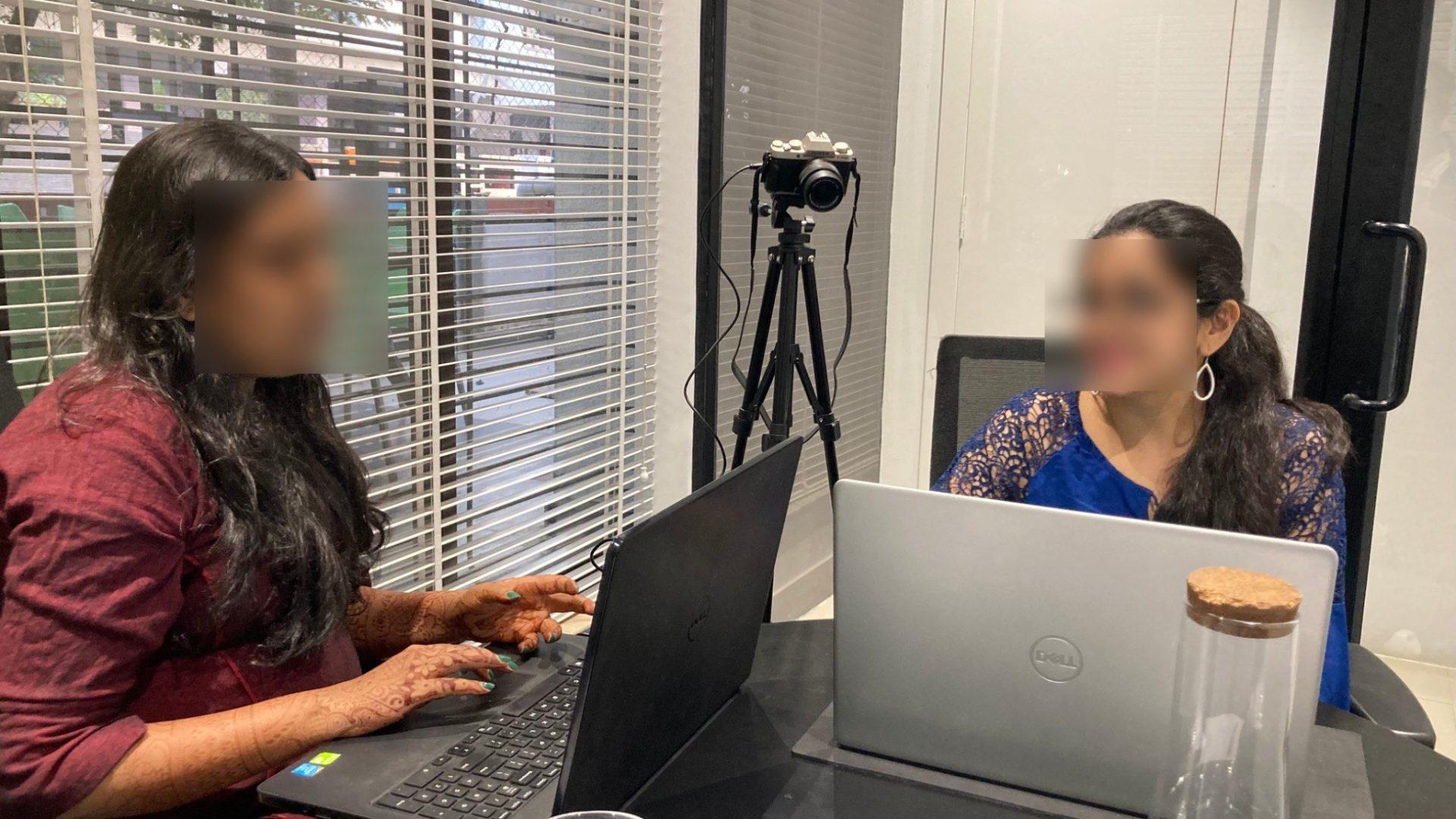
Experienced screen reader users tune their tools: speech speed, verbosity, gestures, shortcuts. Put them on an unfamiliar device and you end up testing the device, not your product. In our sessions, participants used their own laptops and Android or iOS phones with the assistive technology they use every day. We kept test devices on hand only as a backup.
We also recorded every session from several angles (overhead, front-facing and screen capture) so the team could replay hand movements and hear what the screen reader announced at each step. We've written about that setup in our guide to usability studies with visually impaired participants.
05 / 07Follow the keyboard and the screen reader: they show the page's real structure
Sighted readers see a page as a layout. Keyboard and screen reader users experience it as a sequence. Watching someone tab or swipe through a news homepage reveals the structure underneath the design: whether there is a way to skip the navigation, whether the focus outline is visible, whether the order of stories matches what the page looks like, and whether headings let you jump from story to story.
When that underlying structure is right, the page becomes faster for everyone, including sighted keyboard users, people on slow connections and readers using voice assistants.
06 / 07Do it on the beta, not after launch
DW tested before going live, and that's the cheapest moment to find these issues. Fixing heading structure, labels and focus order while templates are still being built is a ticket or two. Fixing them after launch can mean reworking every template and every article page.
The study gave DW a prioritised list of usability and accessibility issues across website and app, together with readers' likes, dislikes and wish list, which fed into refining its launch plan. You can read more in our DW accessibility case study.
07 / 07A starting checklist for news teams
- Headings that make sense when read aloud: one main heading per article, with sections and story lists marked up as real headings.
- Link text that stands on its own: the headline, not "Read more" or "Click here".
- A skip link and a visible focus outline on every page.
- Meaningful alt text for news images, and captions or transcripts for video.
- Labelled buttons and controls in the app and in media players.
- No autoplay surprises: audio or video that starts on its own drowns out a screen reader.
- Test with disabled readers, on their own devices, with the same tasks as everyone else.
Planning an accessibility study for your website or app? Talk to us.